
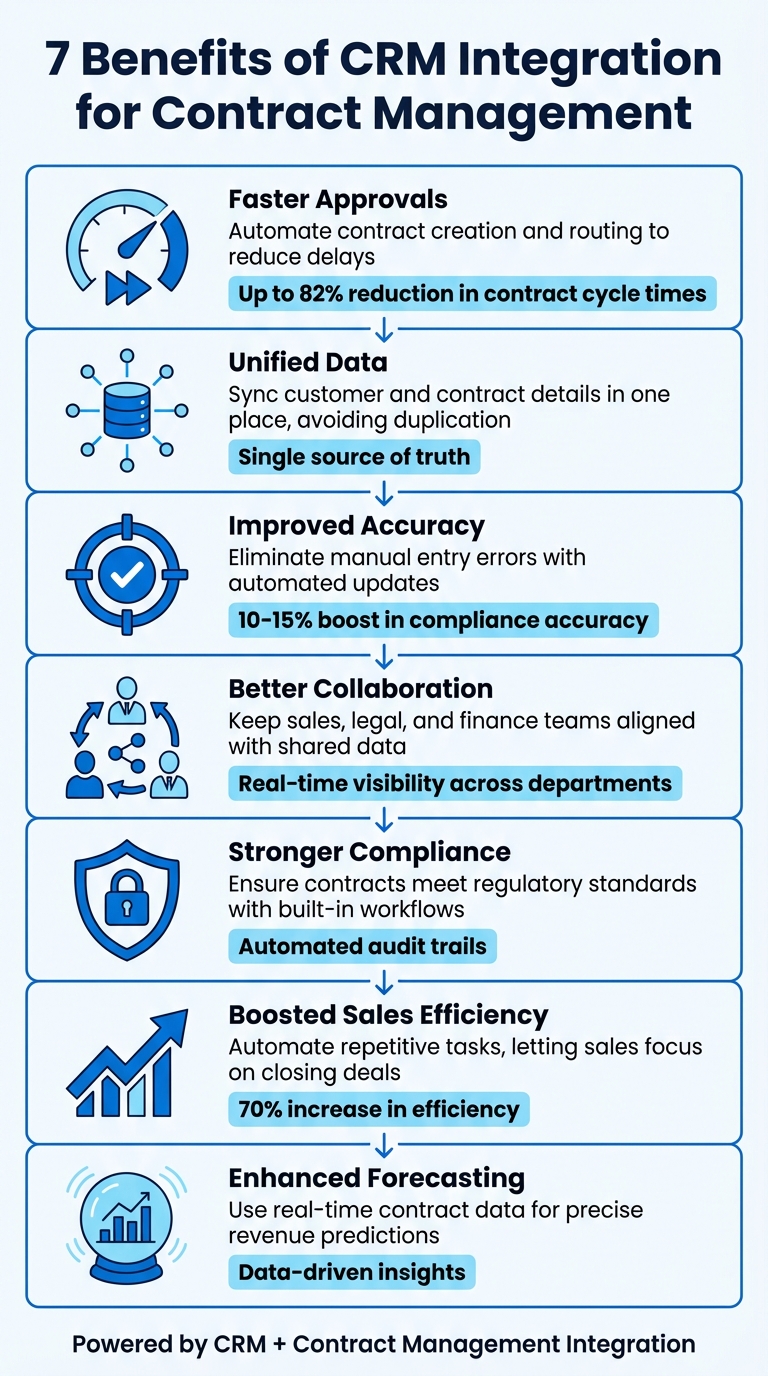
Integrating your CRM with contract management software can transform how businesses handle contracts. It eliminates manual tasks, reduces errors, and keeps teams aligned. Following a contract automation checklist ensures you don’t miss critical steps during this transition. By automating workflows and centralising data, you can speed up approvals, improve accuracy, and enhance collaboration across departments. Here’s a quick look at the benefits:
- Faster Approvals: Automate contract creation and routing to reduce delays.
- Unified Data: Sync customer and contract details in one place, avoiding duplication.
- Improved Accuracy: Eliminate manual entry errors with automated updates.
- Better Collaboration: Keep sales, legal, and finance teams aligned with shared data.
- Stronger Compliance: Ensure contracts meet regulatory standards with built-in workflows.
- Boosted Sales Efficiency: Automate repetitive tasks, letting sales focus on closing deals.
- Enhanced Forecasting: Use real-time contract data for precise revenue predictions.
Trackado offers an accessible solution for SMBs, integrating CRM systems like Salesforce and HubSpot with AI-driven features to streamline processes. With tools like automated reminders, e-signing, and secure data storage, it simplifies operations and helps businesses stay ahead.
Try it free for 30 days – no credit card required.
7 Key Benefits of CRM Integration for Contract Management
1. Speed Up Contract Approvals
Streamlined Workflows
When your CRM and contract management system are linked, sales teams can kick off contract approvals directly from the CRM. No more emailing legal teams or manually copying over customer details – reps can handle contract requests right from their CRM dashboard. This seamless integration eliminates back-and-forth delays, while automated workflows help cut down on time spent drafting contracts.
Automation Capabilities
Integration takes things further by automating contract creation. Pre-approved templates pull essential details – like customer names, pricing, payment terms, and addresses – straight from CRM fields. This not only speeds up the process but also reduces the risk of errors in data entry. Plus, with real-time status updates, your CRM automatically reflects contract progress (draft, sent, signed), making it easy for teams to spot and resolve bottlenecks quickly.
Enhanced Visibility and Insights
With everything visible in the CRM, teams stay on the same page. An iFrame view within the CRM allows sales reps to access full contract details and address customer questions without needing to switch between tools. This centralised setup ensures that sales, legal, and finance teams all work from the same accurate, up-to-date information, avoiding confusion and delays. On top of that, automated routing sends contracts to the right approver instantly based on deal size, while standardised templates keep language consistent and prevent unnecessary legal hold-ups.
sbb-itb-49df6ae
2. Connect Customer and Contract Data
Centralised Data Management
Integrating your CRM with a contract management system brings customer and contract data into one place, cutting out duplicate systems and manual data entry. This eliminates the headache of data silos, where isolated information and manual copy-pasting often lead to errors and inconsistencies. With this integration, data updates between systems happen automatically, creating a seamless workflow.
Bi-directional Data Flow
Through integration, field mapping allows customer details – like names, addresses, and pricing terms – to flow directly from your CRM into contract templates. The bi-directional sync ensures that as customer data moves into contracts, updates on contract statuses (whether draft, sent, or signed) are reflected in your CRM in real time. This keeps your sales pipeline current without the need for manual updates. By combining unified data with automated field mapping, your team can rely on a single, trustworthy data source – just like the streamlined approvals discussed earlier.
Enhanced Visibility and Insights
As mentioned in Section 1, iFrame integration lets sales reps view full contract details directly within the CRM. Signed contracts are automatically stored under the relevant account or opportunity record, so when it’s time for a renewal, sales teams can instantly access past agreements without jumping between platforms. You can even use a contract renewal planner to stay ahead of these dates. This level of visibility ensures that teams work more efficiently, relying on one accurate system.
Before starting the integration, clean your data and map essential fields like customer information, payment terms, and line items. This ensures your centralised system begins with accurate, reliable records.
3. Improve Data Accuracy and Consistency
CRM integration helps minimise manual entry errors, keeping contract details accurate and reliable throughout the sales process.
Streamlined Workflows
Manual data entry often leads to typos, outdated information, or pricing errors. By integrating your CRM with contract management tools, contract templates can be auto-filled using CRM metadata. This ensures that account names, opportunity values, and contact details are always correct and up-to-date. It also allows for real-time automation between the two systems, reducing the risk of human error.
Automation Capabilities
When your CRM and contract management systems are linked, updates flow seamlessly between them. For example, if you update a customer’s address in your CRM, the change will instantly reflect in any active contracts. Similarly, marking a contract as signed will automatically update its status in your sales pipeline. This bi-directional synchronisation ensures everyone is working with the most current and accurate information, eliminating outdated or conflicting data.
Centralised Data Management
With automated updates in place, integration creates a centralised hub for consistent and compliant contracts. Standardised clauses and templates ensure that every contract aligns with your company’s requirements. This consistency not only simplifies compliance but also improves reliability.
Before integrating your systems, it’s crucial to clean your data. Remove duplicates, update outdated records, and map essential fields to start with a solid foundation of reliable information in your centralised system.
4. Support Cross-Department Collaboration
Integrated systems do more than just improve data consistency – they also make it easier for departments to work together effectively.
When your CRM and contract management systems are connected, they form a single, reliable source of information. This eliminates data silos, ensuring that sales, legal, and finance teams are all working with the same accurate data. No more juggling conflicting records or wasting time trying to reconcile differences.
Streamlined Workflows
With integration in place, manual processes between departments become a thing of the past. For instance, sales representatives can initiate contract requests directly from their CRM, removing unnecessary administrative tasks and speeding up the entire contract lifecycle. This seamless handoff between teams fosters better collaboration and saves time.
Centralised Data Management
A centralised system ensures that information isn’t duplicated across platforms, reducing errors and maintaining consistency. Pre-approved templates and workflows become the standard, preventing situations where team members bypass company policies – often referred to as "rogue contracting". Updates made in the CRM are automatically reflected in linked contract data, keeping everyone on the same page.
Legal teams benefit from better visibility into the sales pipeline, allowing them to focus on high-priority tasks. Meanwhile, sales teams can monitor contract statuses – whether they’re in draft, sent, or signed – without ever leaving their CRM. This unified approach not only keeps data accurate but also encourages effective teamwork across departments.
Enhanced Visibility and Insights
Real-time tracking within the CRM lets sales teams see exactly where a contract stands, providing clear updates for everyone involved. This level of transparency helps remove bottlenecks and ensures accountability across teams. For example, integrating an iFrame into the CRM can display the full contract view, so representatives can review terms without needing to switch between tools. Additionally, automated updates to CRM fields – such as moving a contract from "Draft" to "Signed" – keep all departments aligned on the progress of each deal.
5. Improve Compliance and Risk Management
When CRM and contract management systems work in sync, compliance becomes a seamless part of the process. By combining streamlined approvals with unified data, this integration ensures that contracts consistently meet company standards and regulatory requirements from the very start. Built-in workflows and permission settings embed compliance into every stage of the contract lifecycle, reducing the chances of errors or oversights.
Automation Capabilities
Automation takes the guesswork out of compliance. Sales teams can initiate contracts directly from the CRM, while predefined approval workflows ensure contracts are routed to the right people at the right time. Automated alerts for renewals, compliance checks, and deadlines keep everything on track, eliminating gaps caused by manual processes. Organisations with advanced contract lifecycle management systems often see a 10–15% boost in compliance accuracy, which can significantly reduce penalties and make audits smoother. This level of automation also helps establish a unified data repository, adding another layer of protection for compliance.
Centralised Data Management
Centralising data creates a single, reliable source for both customer interactions and contract details. This ensures legal teams have immediate access to complete contract histories, which is crucial for maintaining audit trails. By storing all relevant information – such as initial outreach, negotiations, and final agreements – on one platform, legal teams can easily track changes and review contract histories. Automated syncing further reduces the risk of manual entry errors, which are often the root cause of compliance issues.
Enhanced Visibility and Insights
Real-time insights, supported by automation and centralised data, strengthen compliance efforts even further. Analytics tools can pinpoint negotiation delays, highlight renewal risks, and identify trends with suppliers or customers. AI-powered review features flag non-standard clauses or deviations, helping to address potential risks before contracts are finalised. Integrated systems also maintain thorough audit trails, a critical requirement for regulatory audits. This level of transparency not only safeguards against financial and reputational damage but also helps organisations stay ahead in managing risks across various areas.
6. Increase Sales Efficiency Through Automation
Streamlined Workflows
Sales reps can now generate contracts directly from their CRM, speeding up the entire sales process. No more juggling between different tools or waiting on legal teams to draft documents – contracts can be created in seconds, fully compliant and ready to go. This seamless process removes the usual delays that can slow down deal closures, keeping prospects engaged and moving forward. By combining fast approvals with this automation, sales teams can focus more on selling and less on admin.
Automation Capabilities
Automated approval routing takes the hassle out of chasing stakeholders for sign-offs. Contracts are automatically sent to the right teams – be it legal, finance, or senior management – based on pre-set rules. Automated reminders ensure nothing falls through the cracks. This level of automation not only cuts down on delays but also keeps the momentum going for closing deals. For example, contract lifecycle management solutions have shown to reduce contract cycle times by up to 82%, with some organisations slashing approval times from 20 days to just four days.
Kyle Dorman, Department Manager at Ray White, shared how automation transformed their workflow:
"There’s probably about a 70% increase in efficiency regarding the admin tasks that were removed and automated, which is a huge win for us."
Enhanced Visibility and Insights
Automation also brings real-time updates to the table, giving sales teams a clear view of contract progress. As contracts move from "Draft" to "Sent" to "Signed", these updates sync directly with the CRM opportunity record. This feature not only keeps everyone in the loop but also ensures data consistency across systems. Customer details, pricing, and contract terms stay aligned, while line-item mapping ensures even complex pricing structures flow smoothly from CRM quotes into final agreements. These capabilities make the sales process faster, more transparent, and far more efficient.
7. Better Forecasting and Business Insights
Integrating your CRM and contract management systems doesn’t just streamline workflows; it also reshapes how businesses predict revenue and uncover insights.
Centralised Data Management
When your CRM and contract management systems work together, they create a unified source of information. This eliminates the disconnect between sales, legal, and finance teams, ensuring everyone accesses the same, up-to-date data about contract terms and financial commitments. By linking contracts to ERP financial data, businesses gain a clear picture of revenue streams and expenses, which simplifies budgeting and financial reporting.
Moreover, this integration can dramatically cut down contract cycle times, allowing business administrators to handle most tasks without needing extensive technical support.
Enhanced Visibility and Insights
With centralised data, real-time updates on contract statuses and financial terms can populate CRM dashboards, providing a reliable foundation for revenue forecasting. For instance, syncing contract lifecycle statuses – like draft, sent, or signed – directly into CRM fields ensures pipeline reports align with actual progress.
"Contract lifecycle statuses (draft, sent, signed, etc.) automatically syncing into CRM fields ensures that pipeline reporting reflects reality." – Sofia Tyson, Senior Content Manager, Juro
Automation Capabilities
Automation plays a critical role here. By automating data flows, businesses minimise manual errors and ensure analyses are based on consistent, accurate data. These automated processes not only highlight bottlenecks but also smooth out negotiations, leading to more precise revenue forecasts.
"Forecasting is vastly improved with better data and analytics" – Corcentric
How Trackado Supports CRM Integration
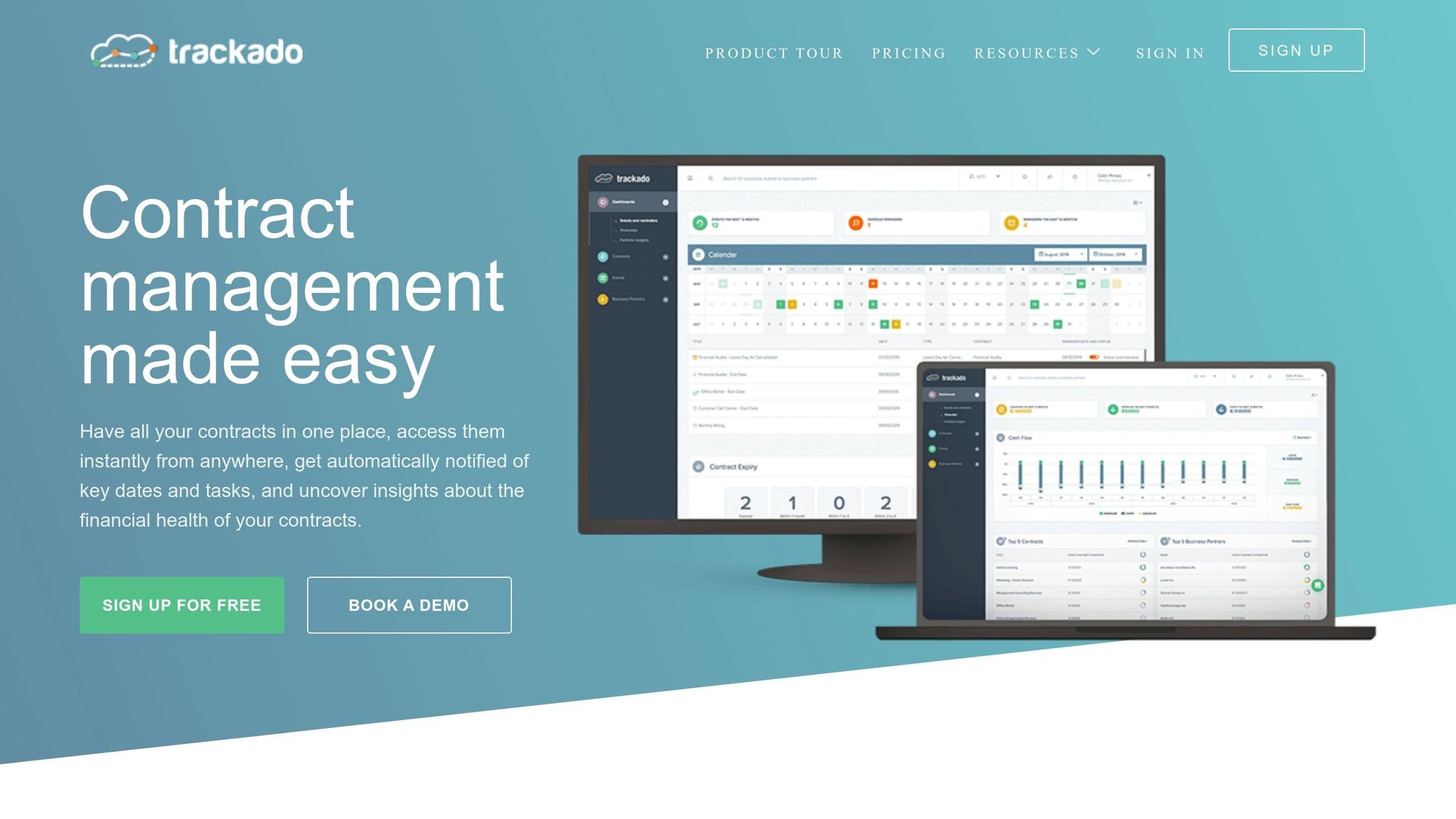
Trackado takes CRM integration to the next level by offering seamless connectivity with platforms like Salesforce and HubSpot. Using its Open API or Zapier, it ensures contract data flows directly into your sales pipeline without a hitch. Its AI-powered data extraction simplifies the process further by automatically pulling out key details – such as dates, parties, and financial terms – from uploaded contracts. This reduces the need for tedious manual data entry and ensures a smoother transition from sales to legal teams.
Sales teams can easily upload contracts via a dedicated email address, which automatically adds documents to a centralised repository. For those using Slack, Trackado sends reminder notifications directly to Slack channels or as direct messages, keeping everyone informed about key contract milestones.
The platform also includes task-based approval workflows and milestone tracking, which trigger automated alerts for renewals and obligations. Plus, with integrated e-signing powered by BoldSign (available from December 2025), contracts can be signed within the platform itself. To top it off, all data is stored securely in European data centres, following digital contract storage security best practices like TLS/SSL protocols and file encryption, ensuring compliance with the strict requirements of SMBs. These features highlight how Trackado’s CRM integrations enhance efficiency across sales, legal, and finance teams.
"The moment we knew we had made the right choice with Trackado was when we received email notifications that gave us a heads-up when something was ending or renewing."
- Yiannis Karavassilis, COO, CloudKid
Trackado caters to businesses of all sizes with flexible pricing options. The free tier supports 1 user and up to 15 contracts, while the Enterprise plan, priced at $299/month, accommodates 25 users with unlimited contracts. A 30-day free trial is also available, with no credit card required.
"Trackado is the best value product we have. In terms of being value for money, it’s the best thing we ever brought into the business."
- Andrew Parkinson, Procurement Manager, Good Energy
Conclusion
Streamlined approvals, unified data, and better compliance work together to boost sales performance. By integrating your CRM with contract management software, you create a seamless flow of information that improves how your business operates. Sales teams can close deals faster, legal teams handle compliance more efficiently, and finance gains the transparency needed for smarter decisions.
For SMBs, Trackado offers an affordable solution to simplify operations. Its AI-powered data extraction removes the need for manual tasks, and automated reminders help you stay on top of contract renewals and compliance deadlines. The platform connects directly with your CRM and adheres to security regulations.
"The gradual pricing model worked well for us, since it was easy to scale… We started with the free plan, then moved to the Starter Plan, and eventually upgraded to the Business Plan as our needs grew."
- Alastair Gilchrist, Chief Technology Officer, NRLA
Whether you’re managing a handful of contracts or thousands, Trackado grows with your business. Try it free for 30 days – no credit card required – to experience smoother workflows. Or, book a personalised demo to see how it can address your specific needs. When your CRM and contract management work as one, the resulting efficiency and clarity can transform how your business operates.
FAQs
What data should we sync between the CRM and contracts?
To keep everything running smoothly, it’s essential to sync key information like customer details, contract specifics, payment information, deadlines, obligations, and status updates. This ensures that your data stays accurate and up to date, giving everyone access to real-time information. By syncing these elements, you can improve visibility across teams, minimise manual errors, and make day-to-day operations run more efficiently.
How do we keep contract templates and clauses compliant after integration?
To keep contract templates and clauses compliant post-integration, stick to standardised, pre-approved templates and workflows. Make it a habit to review and update these regularly to match the latest legal standards. You can also use automation tools to streamline compliance checks and ensure everything stays on track effortlessly.
What should we do before integrating (data clean-up and field mapping)?
Before connecting your CRM with contract management software, it’s crucial to prepare for smooth integration by focusing on data clean-up and field mapping.
Start by cleaning up your data – get rid of errors, duplicates, and inconsistencies. This step helps prevent problems during the integration process. Once your data is clean, move on to mapping fields between the two systems. Align key elements like contract details, metadata, and customer information to ensure everything matches up seamlessly.
By taking these steps, you’ll minimise errors, enable accurate data transfer, and establish a solid base for automation and real-time updates.