
Manual contract approval processes are slow, error-prone, and costly. Automating them can reduce delays by up to 70%, improve contract compliance, and save significant time. Here’s what you need to know:
- What It Is: A structured system for reviewing and approving contracts, ensuring compliance with policies and regulations.
- Why Automate: Automation eliminates email chains, speeds up approvals, and reduces errors with features like real-time tracking and AI-powered tools.
- Who Benefits: Legal, finance, sales, and procurement teams save time, improve accuracy, and close deals faster.
- Key Features: Role-based access, sequential/parallel routing, automated notifications, e-signatures, and post-signature tracking.
- How to Start: Map stakeholders, standardize templates, set approval rules, and use tools like Trackado for an all-in-one solution.
Automation isn’t just about saving time; it ensures contracts are reviewed efficiently, risks are managed, and business goals are met. Tools like Trackado simplify this process with features like task-based workflows, AI data extraction, and secure e-signatures. Ready to move past spreadsheets and email chains? Start small, monitor progress, and refine as you go.
Core Features of Automated Contract Approval Workflows
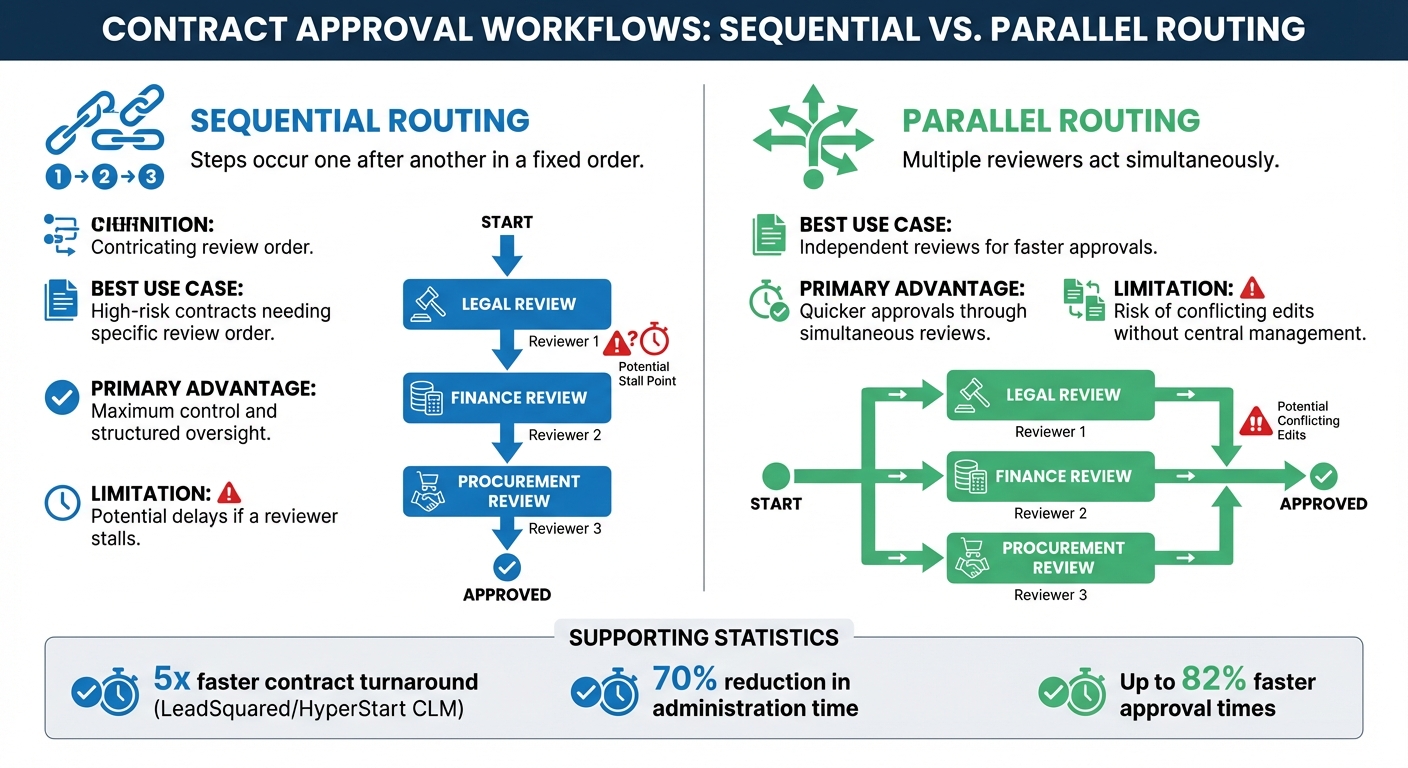
Sequential vs Parallel Contract Routing Comparison
Automated workflows eliminate the chaos of email chains, replacing them with secure and streamlined processes. Here’s a breakdown of the key elements that make contract approval systems effective.
Role-Based Access and Permissions
Role-based access control (RBAC) is essential for maintaining security in contract workflows. It assigns permissions – such as view-only, edit, or approve – based on each stakeholder’s role in the organisation. For example, a finance manager might approve contracts up to $50,000, while the CFO handles higher-value agreements. Legal teams handle redlining, and procurement oversees final reviews. This structured approach ensures sensitive data is only accessible to authorized individuals.
Permissions are often tied to roles, like job titles or departments, which helps maintain workflow continuity even during staff changes. When paired with a Delegation of Authority (DOA) matrix – outlining who can approve contracts based on value and risk – this system avoids unnecessary escalations and keeps approval chains efficient.
These controls lay the groundwork for selecting the right routing method.
Sequential and Parallel Routing
How a contract moves through an organisation depends on the routing method chosen. Sequential routing follows a step-by-step process, where each reviewer completes their task before the next person takes over. This approach is ideal for high-risk contracts that require a strict review order, such as legal teams checking compliance before finance evaluates pricing.
On the other hand, parallel routing allows multiple stakeholders to review a contract simultaneously, speeding up the process when reviews are independent.
| Feature | Sequential Routing | Parallel Routing |
|---|---|---|
| Definition | Steps occur one after another in a fixed order | Multiple reviewers act simultaneously |
| Best Use Case | High-risk contracts needing specific review order | Independent reviews for faster approvals |
| Primary Advantage | Maximum control and structured oversight | Quicker approvals through simultaneous reviews |
| Limitation | Potential delays if a reviewer stalls | Risk of conflicting edits without central management |
Routing strategies like these work best when combined with automated notifications to keep things on track.
Automated Notifications and Reminders
Even the best-designed workflows can hit snags if contracts sit idle in someone’s inbox. Automated notifications solve this issue by immediately alerting reviewers when a task is assigned to them. Follow-up reminders ensure no action is overlooked, and escalation rules enforce deadlines. For example, if a department manager doesn’t approve a vendor agreement within 48 hours, the system can escalate the task to their director. This ensures bottlenecks are minimized and contracts continue moving forward efficiently.
These features work together to create a seamless, efficient contract approval process that saves time and reduces delays.
sbb-itb-49df6ae
How to Set Up an Automated Workflow
To create an efficient contract management system, start by mapping out all stakeholders and categorizing contracts based on their risk and value. This groundwork helps establish a clear and effective approval process.
Standardizing Templates and Approval Rules
Organize contracts into tiers according to their risk and value. For instance, Tier 0 might include low-risk agreements like NDAs that require minimal review, while Tier 3 could cover high-stakes deals that demand thorough evaluation. This tiered approach ensures that the right individuals review the appropriate documents, avoiding unnecessary escalations.
For example:
- Contracts under $50,000 may only need manager approval.
- Those between $50,000 and $250,000 might require review by a director and finance team.
- Contracts above $1 million could need CFO and CEO sign-off.
Streamline the process further by using automated templates with smartfields to pre-fill essential metadata. Conditional logic can adjust clauses based on the contract’s value or specific conditions. Maintain a clause library with pre-approved language, enabling commercial teams to handle minor negotiations independently. This approach has been shown to reduce turnaround times by 60% to 70%.
Configuring Notifications, SLAs, and Escalations
Set up Service Level Agreements (SLAs) to ensure timely approvals. For instance, assign a 48-hour deadline for a manager’s review, with a 72-hour escalation period if the deadline is missed. Automated escalations keep the process moving smoothly.
To avoid delays during holidays or travel, configure out-of-office (OOO) rules that redirect tasks to backup approvers. Use conditional routing to manage contracts based on metadata like value, risk, or geography. For example, contracts exceeding $500,000 could escalate directly to the CFO if not reviewed within a specified timeframe. Organisations adopting such workflows have reported approval times reduced by up to 82% and an average ROI of 240% within six to nine months.
Integrating E-Signing and Post-Signature Tasks
Once approvals are finalized, contracts must be signed and securely stored. Incorporate e-signatures that comply with eIDAS or local legal standards to eliminate delays from manual processes like printing and scanning. Magic Links can simplify signing for external vendors, allowing them to sign without creating an account, which speeds up execution.
Post-signature, automate tasks like metadata tagging, secure storage, and milestone tracking. Tag contracts with relevant information – such as value, expiry dates, and involved parties – to make advanced searches and filtering easier. Set up alerts to track compliance requirements and performance obligations outlined in the agreement. Finally, integrate your workflow with existing CRM or ERP systems to automatically update records after a contract is signed. This eliminates manual data entry and provides a complete, timestamped digital audit trail, which is crucial for compliance in regulated sectors. By automating these steps, you ensure a seamless and compliant contract management cycle.
Best Practices for Workflow Optimization
After setting up automated workflows, the next step is to fine-tune them for consistent efficiency. Even the most advanced systems can fall short if roles are unclear, risks are overlooked, or bottlenecks persist. Here’s how to keep your workflows running smoothly.
Defining Roles and Responsibilities
Clear roles and responsibilities are a cornerstone of efficient workflows. Assign tasks to specific stakeholders based on contract type: Legal oversees compliance and risk, Finance checks budget feasibility, Procurement evaluates vendor performance, and Department Heads examine operational fit. It’s crucial to distinguish between review (a detailed analysis for accuracy and risk) and approval (the final go-ahead for execution). Confusing these roles can lead to delays and inefficiencies.
Adopting a tiered approval model can streamline processes by routing contracts based on roles, financial thresholds, and risk levels. To avoid disruptions during absences, use approval groups rather than assigning tasks to individuals. This ensures continuity, even if someone is on leave. Automated out-of-office routing to backups and clear SLAs with escalation paths – like a 48-hour legal review window with automatic escalation if the deadline is missed – can further prevent bottlenecks.
Once roles are clearly defined, smart technologies can take your workflow to the next level.
Using AI for Data Extraction and Risk Detection
AI has the power to transform static workflows into dynamic systems. Natural Language Processing (NLP) can extract critical metadata – such as renewal dates, payment terms, obligations, and jurisdiction – from contracts. Beyond data extraction, AI assigns risk scores to clauses, helping legal teams prioritize high-risk areas based on historical trends and market conditions. For example, AI can identify risk indicators like data privacy clauses, automatically routing them for compliance review.
AI tools also flag inconsistencies, missing approvals, and deviations from your organisation’s playbook in real time. They can even automate redlining for standard agreements, cutting review times by up to 70%. Igor Poroger, Director of Legal, EMEA at Vectra AI, advises:
"Before adopting a tool, see all your options – explore products of at least 5 different vendors. After shortlisting a couple of those, test them out thoroughly in a sandbox environment to see if those tools are bringing in value".
AI also eliminates manual data entry into CRM or ERP systems, reducing human error and ensuring a single source of truth.
With AI enhancing data extraction and risk detection, the next step is to monitor performance and refine the process.
Monitoring Metrics and Continuous Improvement
To improve workflows, you need to measure their performance. Key metrics include contract cycle time (from request to execution) and approval turnaround time for each department, which can highlight bottlenecks. Teams with structured workflows often see a 20–30% reduction in cycle times. Keep an eye on rework and revision rates – frequent non-standard edits may indicate poor templates or misaligned expectations. Additionally, track SLA compliance to ensure contracts are approved within agreed timelines.
Other useful metrics include touches per contract (fewer handoffs mean fewer errors), self-service rates for low-risk contracts, and escalation frequency, which can help refine your Delegation of Authority matrix. Advanced contract management software features can reduce contracting costs by up to 30% and improve cycle times by 50%. Regularly review your approval matrices and routing logic – ideally annually – to keep them aligned with business priorities. AI can also flag deviations from standard terms, such as indemnity and liability limits, to maintain consistency during reviews.
Improving workflows isn’t a one-time task. It’s an ongoing effort that ensures efficiency, reduces costs, and maintains control. By tracking the right metrics and leveraging AI, you can keep your workflows optimized and ready to adapt to changing needs.
How Trackado Simplifies Contract Approval Workflows
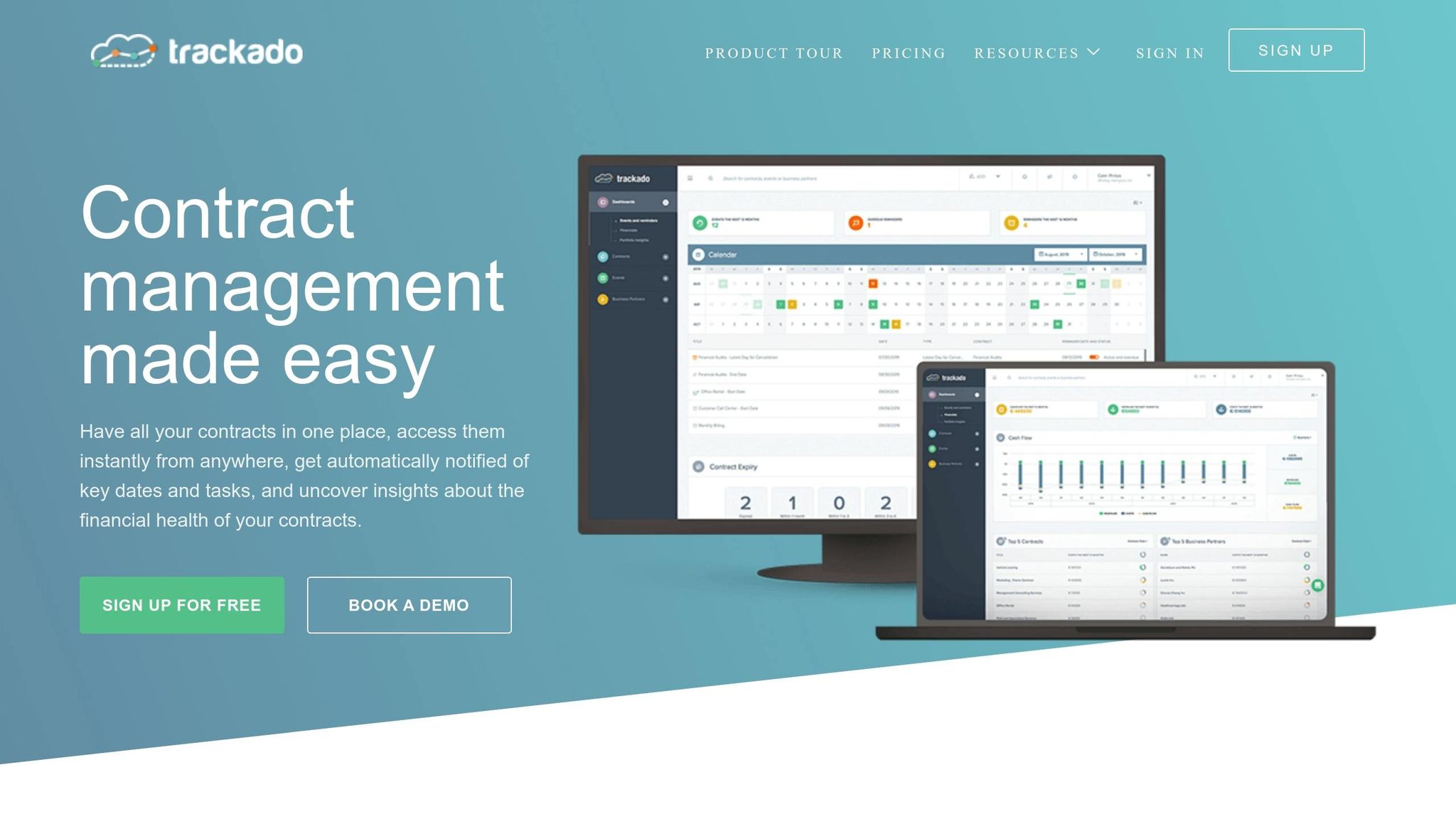
Trackado takes the hassle out of contract approvals by combining advanced features into a single platform. It simplifies the process for small and medium-sized businesses by centralizing and automating contract management. Say goodbye to endless spreadsheets and email chains – Trackado offers a searchable contract repository that can be organized by category, department, or business partner.
The platform’s workflow module ensures contracts move smoothly through review and approval stages, using either predefined templates or custom-built sequences. Plus, its AI Document Intelligence feature extracts key details like titles, dates, and involved parties from uploaded contracts, eliminating the need for manual data entry. Automated reminders help you stay on top of renewals, terminations, or payments, while the integrated e-signature feature streamlines the signing process. Contracts can be sent for signature and tracked in real-time, with statuses such as "In Progress", "Signed", "Declined", or "Expired". For added convenience, sales teams can forward contracts via a unique Trackado email address, automating uploads directly into the system.
Key Features of Trackado
Trackado’s features are designed to make contract approvals more efficient and structured. Task-based workflows define who reviews and approves contracts based on roles, financial thresholds, or risk levels. The platform supports both sequential and parallel routing, allowing multiple stakeholders to review contracts simultaneously or in a set order. AI-powered custom fields flag high-risk clauses, like "Indemnification" or "Liability", helping legal teams focus on critical issues. Post-signature tasks, such as tracking billing details, are also managed within the system, giving users full oversight of contract financials.
The benefits of these features are clear in real-world applications. For instance, in 2023, Kieran Lynch, Head of Legal and Compliance at Rakuten Europe, implemented Trackado to streamline drafting, approvals, and signatures. The platform also enhanced audits by enabling instant exports of contract partner lists. Similarly, Good Energy’s legal and procurement teams transitioned from manual spreadsheets to Trackado, gaining better oversight of key contract dates and improving efficiency by analyzing recurring contract types. At CloudKid, automated email notifications helped the team avoid unwanted license renewals, allowing them to focus on generating revenue by targeting partners before licenses expired.
"Going through the different stages of business input, drafting, approvals and signature was difficult without a formalized process and tool. And Trackado also improves our audit processes!" – Kieran Lynch, Head of Legal and Compliance, Rakuten Europe
Trackado also integrates seamlessly with cloud storage services like Dropbox, Google Drive, and OneDrive. A Slack app is available for notifications, and as of October 2025, the AI Document Intelligence feature supports most languages, making it suitable for global teams.
Trackado’s Pricing Plans
Trackado’s pricing is designed to grow with your business. Each plan includes a free 30-day trial with full feature access and no credit card required.
| Plan | Monthly Price | Key Features & Limitations |
|---|---|---|
| Free | $0 | 1 user, 15 contracts, 2 custom fields – ideal for basic needs |
| Starter | $39 | 3 users, 60 contracts, 5 custom fields – perfect for businesses moving beyond spreadsheets |
| Business | $129 | 8 users, 300 contracts, unlimited custom fields and workflows – suited for growing teams |
| Enterprise | $299 | 25 users, unlimited contracts, workflows, workflow templates, SAML SSO – scalable for large operations; additional users cost $10/month |
"Trackado is simple, easy to use, and does exactly what it promises, without unnecessary extras. The gradual pricing model worked well for us, since it was easy to scale." – Alastair Gilchrist, Chief Technology Officer, NRLA
Security and Compliance with Trackado
Trackado doesn’t just focus on usability – it also prioritizes security and compliance. All data is hosted in secure European data centers, ensuring adherence to regional data protection laws. Sensitive contract data is protected during storage and transmission through TLS/SSL protocols and file encryption. For businesses needing advanced security, Trackado supports Single-Sign-On (SAML SSO), offering secure and streamlined access.
Every action within the platform is logged, creating a detailed audit trail that’s invaluable for compliance checks. As a cloud-based tool, Trackado doesn’t require local installation and is accessible through any standard web browser. With its combination of European hosting, strong encryption, and detailed audit capabilities, Trackado offers a practical and secure solution for SMBs looking to simplify contract management without added complexity.
Conclusion
Switching to automated contract approval workflows can completely change how your business operates. Manual processes often create delays, increase the risk of errors, and divert valuable team resources to time-consuming tasks. These inefficiencies, as discussed, can be costly for organisations. Automation eliminates these delays, replacing them with parallel approvals, real-time tracking, and compliance measures that safeguard your business from expensive mistakes. And the numbers back this up.
For instance, data shows that organisations using automated workflows experience 60% to 70% faster contract turnaround times. Even more impressively, 78% of organisations can respond to legal requests within 72 hours with automation, compared to just 33% relying on manual methods. These aren’t minor improvements – they represent a major shift, allowing legal teams to move from being perceived as bottlenecks to becoming enablers of faster, more secure business operations.
Key Takeaways
To optimize your contract workflows, start by examining your current processes. Identify where contracts typically get delayed – whether it’s waiting for approvals, chasing signatures, or missing renewal deadlines. Standardizing templates and clauses can also reduce the need for repeated legal reviews. Establishing a clear approval matrix, based on financial thresholds and risk levels, ensures smoother decision-making. Tools like Trackado can simplify this by centralizing everything in one platform, offering features like task-based workflows, AI-driven data extraction, and integrated e-signatures to reduce errors and email overload.
Don’t try to automate everything at once. Focus on one high-volume contract type – such as NDAs or vendor agreements – test the process with a cooperative team or department, and fine-tune it before expanding across the organisation. Monitor key contract performance metrics like cycle times, approval delays, and renewal compliance to track progress and identify areas for further improvement. The goal is not about achieving perfection but making consistent progress with measurable gains.
Next Steps for SMBs
If you’re an SMB still managing contracts through spreadsheets and email, now is the time to act. Map out your current workflow, identify the bottlenecks that are costing you time and money, and prioritize fixing those contracts that delay deals or cause missed renewals. Trackado offers a free 30-day trial with full access to its features, allowing you to explore automation without any upfront costs. By centralizing and automating your contract processes, you can save time, reduce risks, and start realizing the true value of your contracts.
FAQs
What should I automate first in contract approvals?
The first thing to tackle when automating contract approvals is the approval workflow. Start by simplifying tasks like routing contracts to the right people, sending timely notifications, and ensuring role-based reviews are in place. Clearly define the workflow, assign responsibilities, and set up automated reminders to keep everything on track. This approach helps contracts move through the review and approval stages more smoothly, cutting down on errors and delays while creating a system that’s quicker and more reliable across teams.
How do I set approval limits and escalation rules?
To manage approval limits and escalation rules effectively, start by defining clear thresholds and conditions. These should dictate when escalations are triggered, such as delays in approvals or when specified limits are surpassed. Configure your workflow to automatically route contracts based on factors like their value or associated risk. If necessary, set escalation rules to bring in higher-level authorities for review.
Leverage the templates available in your contract management platform to simplify this setup. This approach helps ensure that approvals are handled promptly and in line with your organisation’s policies and compliance requirements.
Which metrics prove workflow automation is working?
Key metrics to watch include shorter contract cycle times, as automation accelerates reviews and approvals, leading to faster deal closures. Better renewal rates also stand out, as timely reminders help avoid missed opportunities. Compliance adherence is crucial too, with automation ensuring deadlines and obligations are met consistently. Lastly, keeping an eye on the realisation of contract value offers insight into financial efficiency and how automation enhances contract management processes.