
Role-based task assignment is a game-changer for contract approvals. It eliminates delays caused by unclear ownership and manual processes by automatically routing contracts to the right person based on their role. This approach ensures faster approvals, better compliance, and clear accountability.
Here’s why it works:
- Faster Approval Cycles: Automates routing, uses thresholds for senior reviews, and prevents bottlenecks with escalation rules.
- Improved Compliance: Routes contracts to experts (e.g., Legal, Finance), ensures version control, and provides pre-approved clause libraries.
- Clear Accountability: Assigns roles for each task, tracks every action, and creates audit trails.
Using tools like Trackado, companies can set up role-based workflows in just a few steps, defining roles, automating routing, and monitoring progress. The result? Fewer delays, fewer errors, and a smoother process overall.
What Are Role-Based Tasks?
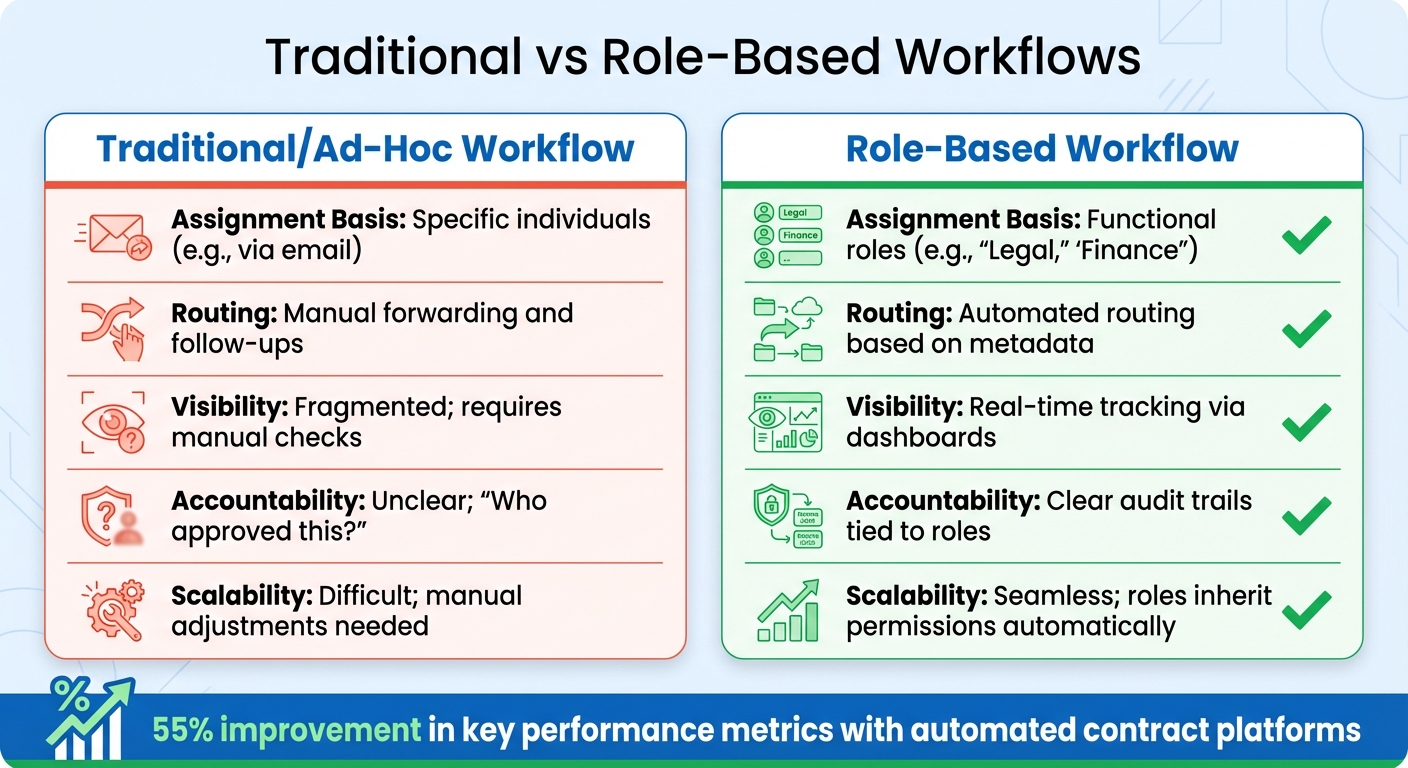
Traditional vs Role-Based Contract Approval Workflows Comparison
Role-based task assignment ensures that contracts are routed to the appropriate team or individual based on their role, such as a Legal Counsel or Finance Manager. This system keeps processes moving smoothly, even if someone is unavailable or leaves the company.
The standout feature here is automation. Unlike traditional workflows, where someone has to manually remember who needs to review or approve a document and then forward it via email, role-based systems follow predefined rules. For instance, contracts with indemnification clauses automatically go to the Legal team, while IT-related agreements are sent to the Head of IT. This predictability saves time and reduces errors.
Another key benefit is the enforcement of the Separation of Duties (SoD) principle. This ensures that no single person can both request and approve the same contract. By assigning different roles to handle various stages – such as initiation, review, and final approval – the system minimizes conflicts of interest and strengthens security.
How Role-Based Tasks Work
Role-based routing ensures contracts reach the right experts at the right time. Here’s how it typically plays out:
- Legal: Reviews indemnification clauses and ensures compliance with regulations.
- Finance: Checks pricing, payment terms, and budget alignment.
- Procurement: Verifies vendor credentials and evaluates commercial terms.
- Department Heads: Assess operational alignment and resource needs.
Conditional rules further refine this process. For example, low-value contracts might only need approval at the department level. However, agreements exceeding $50,000 could require a CFO’s review. If a contract includes data processing terms, Information Security might also be added to the chain. This targeted routing prevents senior leaders from being bogged down with routine, low-risk approvals.
Role hierarchies simplify team management by automatically granting permissions to new members or senior staff. This structure not only clarifies responsibilities but also makes it easier to see how role-based workflows differ from traditional models.
Differences Between Role-Based and Traditional Workflows
Traditional workflows rely heavily on manual coordination. A contract might be emailed to one person, then forwarded to another, with everyone working on separate copies. This approach often leads to confusion over version control and creates delays, as it’s hard to track progress or know who’s responsible for the next step.
Role-based workflows solve these issues with centralized automation. The system keeps a detailed log of every action, complete with timestamps, so you can see exactly who approved what and when. If a task stalls, backup approvers are automatically notified to keep things moving. And because everyone works from a single, centralized document, version control is never an issue.
Here’s a quick comparison of the two approaches:
| Feature | Traditional/Ad-Hoc Workflow | Role-Based Workflow |
|---|---|---|
| Assignment Basis | Specific individuals (e.g., via email) | Functional roles (e.g., "Legal", "Finance") |
| Routing | Manual forwarding and follow-ups | Automated routing based on metadata |
| Visibility | Fragmented; requires manual checks | Real-time tracking via dashboards |
| Accountability | Unclear; "Who approved this?" | Clear audit trails tied to roles |
| Scalability | Difficult; manual adjustments needed | Seamless; roles inherit permissions automatically |
Switching from person-dependent to role-dependent workflows has a measurable impact. Organizations using automated contract platforms report an average 55% improvement in key performance metrics.
sbb-itb-49df6ae
Benefits of Role-Based Tasks in Contract Approvals
Faster Approval Cycles
Role-based tasks streamline contract approvals by cutting out unnecessary delays. When a contract enters the system, it’s automatically routed to the right person based on predefined rules – no more misrouted approvals or wasted time. For instance, a $250,000 enterprise software agreement was fully approved and executed in just 10 business days, thanks to automated notifications and approval hierarchies.
Threshold-based rules ensure that senior executives only review contracts that truly require their attention, like agreements exceeding $200,000. This keeps routine, low-value contracts moving quickly. Automated alerts notify stakeholders immediately when a task is assigned, while escalation rules prevent bottlenecks by pushing overdue reviews to the next level.
Additionally, standardized review scopes save time by assigning specific responsibilities to each team. For example, Finance focuses on payment terms, while Legal handles liability and indemnification. This division of labor avoids redundant reviews and ensures every stakeholder zeroes in on their area of expertise.
Better Compliance and Accuracy
Speed isn’t the only advantage – role-based tasks also boost compliance and reduce errors. By routing contracts to the right experts, such as Legal, Finance, Procurement, or Compliance, each section of the agreement gets reviewed by someone with the proper knowledge.
Centralized version control ensures everyone is working on the latest draft, eliminating confusion over outdated versions. Pre-approved clause libraries further simplify the process by providing vetted language for key terms like indemnity and confidentiality. This allows Legal teams to focus on deviations from standard terms rather than starting from scratch.
Every action in the workflow is recorded with a timestamp, creating a complete audit trail. This detailed documentation not only supports internal audits but also stands up to regulatory scrutiny – something email-based approvals simply can’t match.
Clear Accountability and Transparency
Clear ownership of tasks enhances transparency and accountability. Role-based workflows assign a single person as "Accountable" for each task, leaving no room for confusion about who has final authority. As Bob Kantor, Principal at Kantor Consulting Group, explains:
"Success requires that there is only one person Accountable, which means that ‘the buck stops there.’"
This approach also prevents unauthorized commitments by clearly defining who has signing authority for different contract thresholds. Meanwhile, assigning "Informed" roles keeps executives and sales managers in the loop on contract status without requiring their daily involvement.
The results speak for themselves. Nearly 50% of project spending is at risk due to poor team communication. Role-based tasks address this issue by maintaining a detailed, timestamped history of every review, comment, and approval. Together, these improvements – faster cycles, stronger compliance, and clearer accountability – revolutionize the contract approval process, making it more efficient and reliable for organizations.
How to Set Up Role-Based Tasks in Trackado
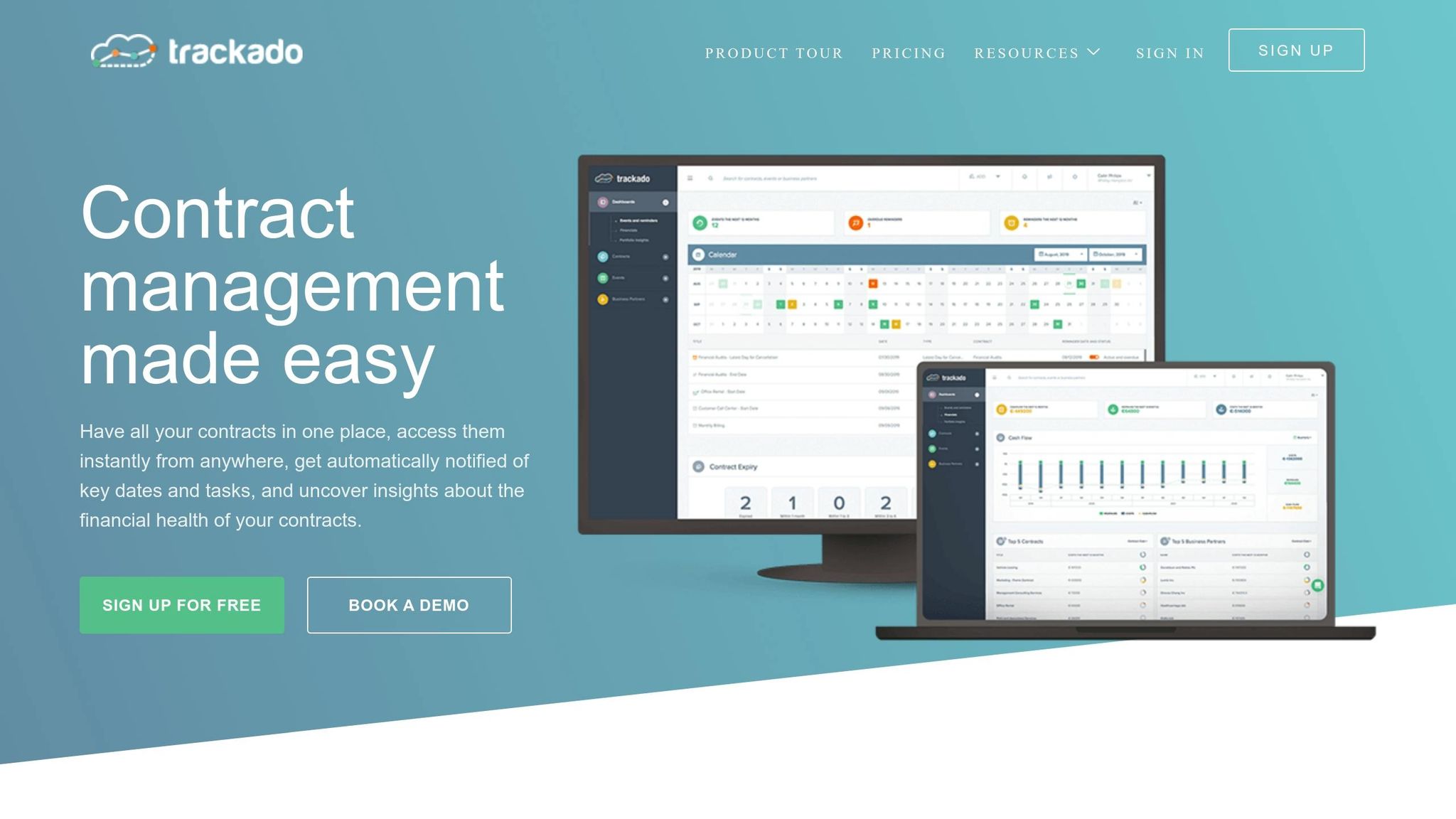
Trackado makes it easy to assign tasks based on roles, ensuring the right people are connected to the right contracts. Here’s a step-by-step guide to implementing role-based tasks in Trackado.
Step 1: Define Roles and Responsibilities
Start by identifying key individuals for contract approvals – like Legal for compliance checks, Finance for budget reviews, and Department Heads for operational needs. Link these roles to specific Business and Organizational Units within Trackado.
Assign a Contract Owner to every contract to establish clear accountability throughout its lifecycle. Use Categories to organize contracts by type, such as Software, Consulting, or Real Estate, and add Custom Fields like "Contract Value" or "Risk Level" to capture essential data. Considering that about 60% of corporate lawsuits stem from contracts, having a solid legal review process and stakeholder approvals is critical.
Step 2: Configure Approval Routing Rules
Once roles are set, create routing rules to ensure contracts reach the appropriate reviewers. Use Trackado’s Start Workflows to establish either sequential or parallel approval processes, helping contracts move smoothly through each stage. A "Pending" status indicates that a contract is waiting for actions like approval or signature before it becomes active.
Set up Events to represent key actions in the approval process, and link multiple events to a single contract. Automated notifications keep all stakeholders informed, ensuring deadlines are met and schedules stay consistent.
Step 3: Set Thresholds and Escalations
Avoid bottlenecks by setting thresholds that determine when senior oversight is required. For instance, route high-value contracts (e.g., those over $200,000) to the CFO for approval, while routine agreements can go directly to department heads. Escalation rules can automatically reassign overdue tasks, keeping everything on track and ensuring no contract falls through the cracks.
Step 4: Centralize Contracts and Automate Metadata
Upload contracts directly to Trackado or link them to platforms like SharePoint or OneDrive for centralized management. Use Categories to organize contracts, and let AI-powered metadata extraction fill in fields like value, start date, and renewal terms. This reduces manual data entry and helps avoid errors.
Maintain a separate repository for Business Partners (suppliers and customers) so vendor management teams can quickly verify partner details during the approval process. By centralizing everything, you ensure that teams always work with the most current versions of contracts, avoiding confusion caused by outdated drafts.
Step 5: Monitor and Optimize Workflows
Track the status of each contract using Trackado’s monitoring tools. Group contracts by Categories or Units to generate insightful reports, and rely on automated reminders to avoid delays.
The Status field clearly shows where each contract is in its lifecycle, with "Pending" signaling contracts awaiting approval. Segmenting contracts by Business Units or Organizational Units can reveal areas where approval processes might need adjustments.
Finally, take advantage of configurable End-of-Term behaviors, like automatically marking a contract as "Expired" or extending its term. Regularly reviewing these insights allows you to refine workflows and address inefficiencies, keeping your processes running smoothly.
Role-Based Tasks vs. Other Workflow Models
Role-based tasks focus on assigning responsibilities based on specific roles, simplifying the approval process. However, other workflow models take different approaches, often prioritizing financial or risk considerations. For instance, value-based workflows rely on financial thresholds to determine who needs to review a contract. A department head might approve contracts under $50,000, while anything exceeding $200,000 could require the CFO’s signature. On the other hand, risk-based workflows are designed to address contracts with sensitive data or unusual clauses, directing them to specialized teams for review.
Each model has its strengths and challenges. Value-based routing ensures fiscal oversight for substantial expenditures but might overlook critical reviews for smaller, high-risk contracts. Risk-based workflows focus on high-stakes issues but often involve a more complicated setup to classify risks accurately. Role-based tasks, however, ensure every contract – regardless of its size or risk – is reviewed by the appropriate expert, maintaining consistency and accountability.
As noted by industry professionals:
"A well-defined approval matrix eliminates ambiguity and prevents unauthorized sign-offs." – Cflow
For small and medium-sized businesses (SMBs), role-based workflows are particularly effective. They avoid delays caused by unclear responsibilities and are easier to implement compared to more complex models like attribute-based workflows. By managing permissions at the role level instead of for individual employees, they also reduce administrative burdens. Many organizations combine these methods, using role-based workflows as a foundation while incorporating value-based thresholds to avoid bottlenecks for smaller agreements.
Workflow Models Comparison Table
| Workflow Model | Routing Basis | Primary Strength | Key Limitation |
|---|---|---|---|
| Role-Based | Job function/position (e.g., Legal, Finance) | Ensures specialized expertise and clear accountability | Can create bottlenecks if specific roles are overloaded |
| Value-Based | Monetary thresholds (e.g., >$50,000) | Provides strict fiscal oversight for high-spend items | May bypass critical reviews for low-cost but high-risk contracts |
| Risk-Based | Risk level (e.g., data privacy, liability) | Focuses resources on high-stakes legal or security issues | Requires a complex initial assessment to categorize risk |
This table highlights how role-based tasks ensure accountability and expertise, making them a solid choice for maintaining consistency in the approval process.
Conclusion
Role-based task assignment simplifies the approval process by ensuring every contract is routed to the appropriate reviewer. This method minimizes bottlenecks and ensures compliance through clear audit trails. By focusing on job functions rather than specific individuals, organizations can scale their workflows effortlessly. When roles change, permissions update automatically, cutting down on manual adjustments and reducing administrative workload.
Beyond efficiency, role-based workflows enhance security and reduce errors. For SMBs, these workflows enforce the principle of least privilege, mitigate security risks, and separate responsibilities to lower the chances of mistakes or fraud. For instance, the person initiating a contract cannot also approve it. Given that a single data breach can cost over $4 million, these preventive measures are critical.
Trackado builds on this streamlined approach by making implementation straightforward. It offers features like Events for tracking key contract milestones, automated reminders, recurring reviews, and seamless task reassignment. This ensures that the absence of one team member doesn’t bring the entire approval process to a halt.
With Trackado, task-based approval workflows provide real-time updates on each approver’s status – whether pending, approved, or rejected – so you always know the exact position of a contract. Once all required approvals are secured, the system can automatically initiate the next step, such as sending the contract for signature or notifying the counterparty. This level of automation eliminates the delays commonly seen in traditional email-based workflows.
Trackado delivers a cost-effective, scalable solution that offers instant visibility and control over contract approvals. With role-based tasks operational in just days, your team gains the tools to turn contract management from a time-consuming hurdle into a strategic asset.
FAQs
What roles should I include in a contract approval workflow?
The roles involved in a contract approval workflow can vary based on how your organization is structured and how complex the contract is. However, some common roles typically include:
- Contract creator: Often someone from the sales team who initiates the process.
- Legal counsel: Ensures the contract aligns with legal requirements and mitigates risks.
- Finance or accounting personnel: Reviews the financial aspects, such as budgets or payment terms.
- Operations or compliance teams: Checks that the contract adheres to internal procedures and industry regulations.
- Senior management: Steps in for contracts that are high-value or carry significant risk.
These roles work together to ensure everything is legally sound, financially accurate, and strategically aligned before the contract is approved and signed.
How do I decide approval thresholds and escalation rules?
When managing contracts, it’s essential to establish clear guidelines based on factors like the contract’s value, complexity, or the specific needs of a department. Here’s how you can streamline the approval process:
- Define Approval Limits: Assign limits for each role, ensuring that contracts exceeding certain thresholds are automatically routed to higher authorities for review.
- Automated Escalations: Set up rules to trigger alerts or escalate requests if they remain pending for too long, keeping the process on track.
- Role-Based Task Assignments: Use role-specific configurations to assign tasks, define thresholds, and implement escalation rules. This ensures reviews and approvals happen efficiently and at the right level.
By putting these measures in place, you can create a system that promotes timely and proper handling of contracts.
How can I roll out role-based approvals without slowing teams down?
To make role-based approvals work smoothly, start by clearly defining roles and responsibilities. This ensures everyone knows exactly what they’re supposed to do. Automated workflows can then assign tasks based on these roles, cutting down on delays caused by manual handoffs. Adding features like reminders and notifications keeps things moving and helps avoid bottlenecks. By using a mix of automation, role-specific permissions, and efficient workflows, you can speed up the approval process without slowing down your team.