
An e-signature image is not what proves a contract. The audit trail does.
When I look at whether an electronic contract can hold up later, I focus on the record behind the signature: who signed, how they were checked, what version they saw, when each step happened, and whether the file changed after signing. Without that record, a typed name or click-to-sign action does not say much on its own.
Here’s the short version:
- A valid signing record links the signer to the contract
- Time stamps, IP logs, device data, and login checks help show who acted
- Consent records help show the person agreed to sign electronically
- A document hash helps show the signed file was not changed later
- The signed PDF, audit log, certificate, and metadata should stay together
- Storage, access rules, retention, and retrieval tests matter years after signing
If I had to boil it down even more, the job of an audit trail is to answer four basic questions:
- Who signed?
- What did they sign?
- When did they sign it?
- Can we still prove it later?
A missing audit trail can turn a simple contract check into hours of email searches, folder digging, and guesswork. A clear record makes it much easier to review a dispute, answer an audit request, or pull an old agreement before a renewal window closes.
This article explains what records should be in the audit trail, how those records support contract validity, under eIDAS for EU businesses and ESIGN/UETA for US businesses, and why keeping the signed file and proof set in one place matters so much later.
What a Legally Defensible Audit Trail Should Include
A legally defensible audit trail needs to show the entire signing record, not just the moment someone clicked “sign.” In practice, that record has three parts: identity data, signing history, and the final evidence package.
Timestamps, IP Logs, and Signer Identity Records
Every action in the signing flow should use a server-side timestamp, not the clock on the signer’s phone or laptop. Server-generated timestamps, recorded in UTC and paired with a time zone when needed, help establish a dependable timeline for when the document was sent, opened, authenticated, and signed.
The trail should also log the signer’s IP address, device type, browser version, and operating system for each major event. Those details help back up who took the action and from where.
Signer identity records should include the person’s full name, email address, and the exact authentication method used. That could be an email link, an SMS one-time passcode, multi-factor authentication, or knowledge-based verification. It also helps to record both successful and failed authentication attempts. If someone mistyped a code three times before getting in, that history matters.
Required records for a defensible audit trail:
- Server-side timestamps with time zones for every action
- Full IP addresses and device/browser metadata
- Authentication method and attempt history, including MFA and secure ID checks
- Explicit consent step records and acknowledgment actions
- Cryptographic document hash, such as SHA-256, tied to the signed version
- Certificate of completion with transaction ID and event summary
Signer Actions, Consent Steps, and Document History
The log should show the full chain of events: invitation, access, consent, signature, and download. That sequence helps show notice, review, and completion.
Consent capture matters a lot under U.S. law. The audit trail should show exactly when and how consent was given. That means the screen the signer saw, the checkbox or acknowledgment they clicked, and the timestamp tied to that action.
Document history and version identifiers connect each event to the exact contract copy that was signed. A document ID, version number, or content hash links the signature event to a specific file state. That helps show the contract was not swapped out or edited after approval. Put simply, the version record ties the signed file to the exact contract state at that moment.
Final Signed Copies and Evidence Packages
The final executed PDF is the readable contract copy teams pull up later. But on its own, the PDF is only part of the story.
A complete evidence bundle should include the executed PDF, the full audit log, a certificate of completion, the transaction ID, and the document hash. The certificate of completion sums up signer details, timestamps, authentication steps, and completion status.
Taken together, these records let a team rebuild the signing event later if they need to check the signature. If the contract is challenged, this is the proof set they’ll lean on.
sbb-itb-49df6ae
How Audit Trails Support Contract Validity in Real Disputes
After signing, the audit trail becomes the file lawyers reach for when a contract gets challenged. At that point, those records stop being back-end system data and start doing real work as evidence.
Proving Who Signed and Whether They Intended To
In a dispute, counsel looks at the full record to test two things: who signed and whether that person meant to do it. That review usually pulls from the same items created during signing: the signed copy, audit log, certificate of completion, and document hash.
The record can show:
- The email address that received the invitation
- Delivery and open timestamps
- The authentication method used
- IP address and device or browser data
- The click sequence showing that the signer opened the document, reviewed it, accepted the e-consent disclosure, and clicked Sign
If someone later says they never signed, or claims someone else used their account, counsel can line that up against MFA records, IP and device logs, and the full session timeline. When those records match the signer’s usual behavior, that kind of denial gets much harder to back up.
Those same records can also help show that the signed file did not change.
Proving the Document Was Not Changed After Signing
If one side argues that the document was altered, the audit trail should show that the final signed copy matches the version everyone accepted. A cryptographic hash, such as SHA-256, ties the final PDF to the signed version; any change produces a different hash.
Some platforms also apply a PKI-based digital certificate when signing is complete, and PDF viewers may flag changes made after signing. If the parties amend the contract later, that amendment should be handled as a new document with its own signing trail. Link it to the original. Don’t overwrite the earlier file.
That matters because disputes still come back to ESIGN and UETA.
Matching Audit Trail Evidence to U.S. Legal Requirements
ESIGN and UETA do not require one specific type of software or signature method. But they do require electronic records to accurately reflect the agreement, stay accessible, be reproducible, and be kept for the legally required period. A full audit trail helps support each of those points.
The table below maps audit trail evidence to ESIGN/UETA requirements:
| Legal Criterion | What It Requires Under ESIGN/UETA | Audit Trail Data That Supports It |
|---|---|---|
| Intent to sign | The signer intended to adopt the signature and be bound | Click-to-sign logs, typed or drawn signature records, session timeline, contract title visible at signing |
| Consent to transact electronically | The parties agreed to use electronic records and signatures instead of paper | Logged acceptance of the e-consent notice, checkbox selections, consent timestamps, stored consent language |
| Attribution | The signature is attributable to a specific person based on the surrounding circumstances | Email ownership, login records, MFA/OTP success logs, IP and device data, identity verification results |
| Integrity of the record | The contract accurately reflects the agreement and was not altered after signing | Document hash at completion, digital certificate status, version history, tamper-evident log chains, read-only executed copy |
| Retention and reproducibility | The record stays accessible and can be reproduced later | Storage location metadata, retention policies, access logs, ability to generate the same PDF on demand, backup and disaster recovery logs, export logs for audits |
For EU businesses, the equivalent framework is eIDAS (EU Regulation 910/2014), which establishes three signature types: Simple Electronic Signature (SES), Advanced Electronic Signature (AdES), and Qualified Electronic Signature (QES). The audit trail evidence required is similar in intent – the record should show who signed, what they signed, when, and that the document was not altered. The main distinction is that QES under eIDAS requires a qualified certificate from a Trust Service Provider, carrying the highest legal weight across EU member states. For most SMB vendor contracts, SES or AdES is sufficient, provided the audit trail includes timestamp, signer identity, authentication method, and document integrity evidence.
In plain terms, these records help answer the questions that usually drive the fight: who signed, what they agreed to, whether the file stayed intact, and whether the contract can still stand as valid.
Why Centralized Storage Makes Audit Trails Useful Later
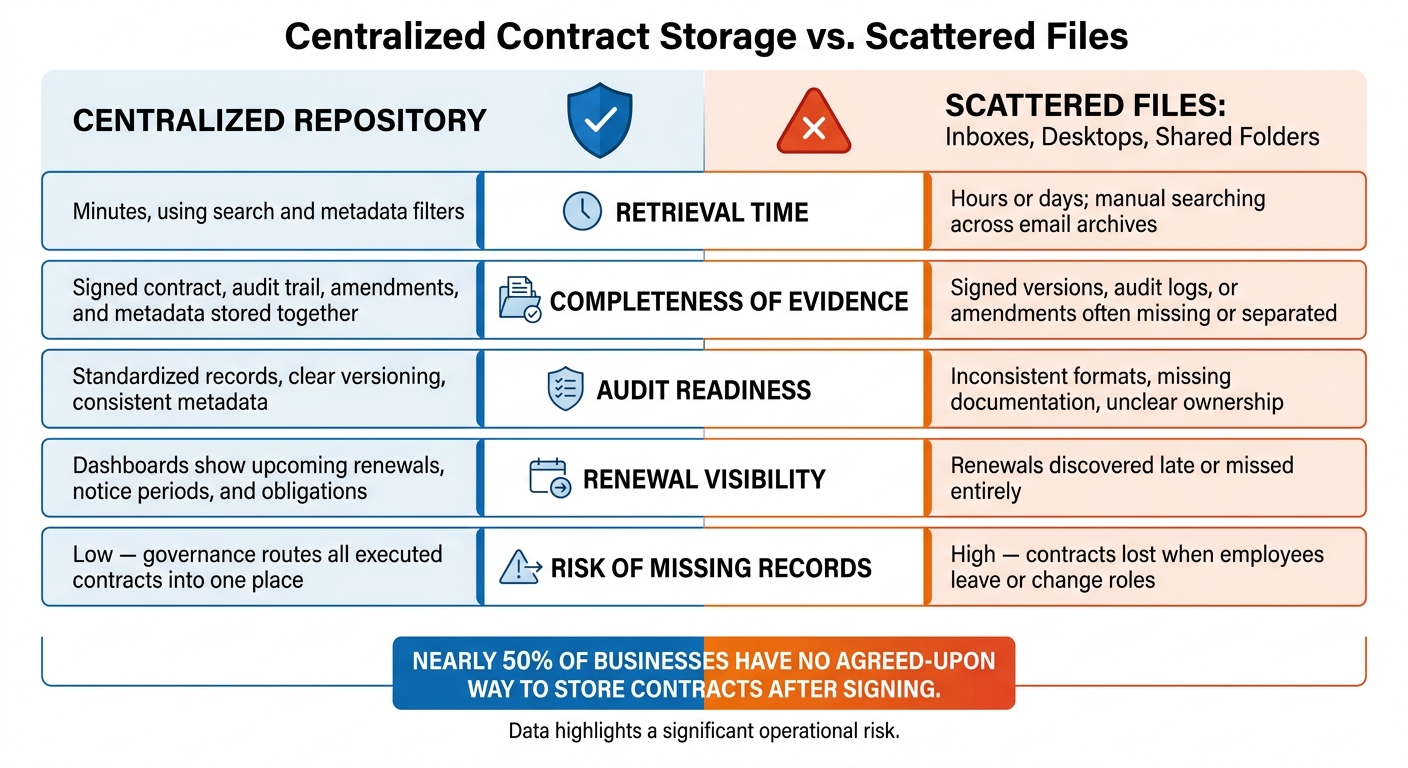
Centralized Contract Storage vs. Scattered Files: Key Differences
An audit trail only helps if your team can pull it up with the signed contract when someone asks for proof. That’s the part that matters later: not just having the record, but being able to get to it fast.
Keeping Contracts, Audit Logs, and Metadata in One Place
When a vendor dispute or compliance audit hits your desk, time disappears fast. Auditors and legal counsel usually want the whole file right away: the final signed version, the audit trail, any amendments, and key metadata like the effective date, renewal date, contract owner, and counterparty details.
If all of that sits under one contract record, you can pull the full evidence package in minutes. If it doesn’t, things get messy. People start digging through inboxes, asking coworkers, and searching old folders. That delay adds up fast – and many businesses have no agreed-upon way to store contracts after signing, leaving signed copies, audit logs, and amendments scattered across inboxes and shared folders.
Centralized storage with searchable metadata fields like contract type, counterparty, expiration date, and department turns that process from hours of hunting into a few clicks.
It also keeps renewal dates easy to see, which helps teams act before notice periods slip by.
How Trackado Supports Centralized Contract Evidence
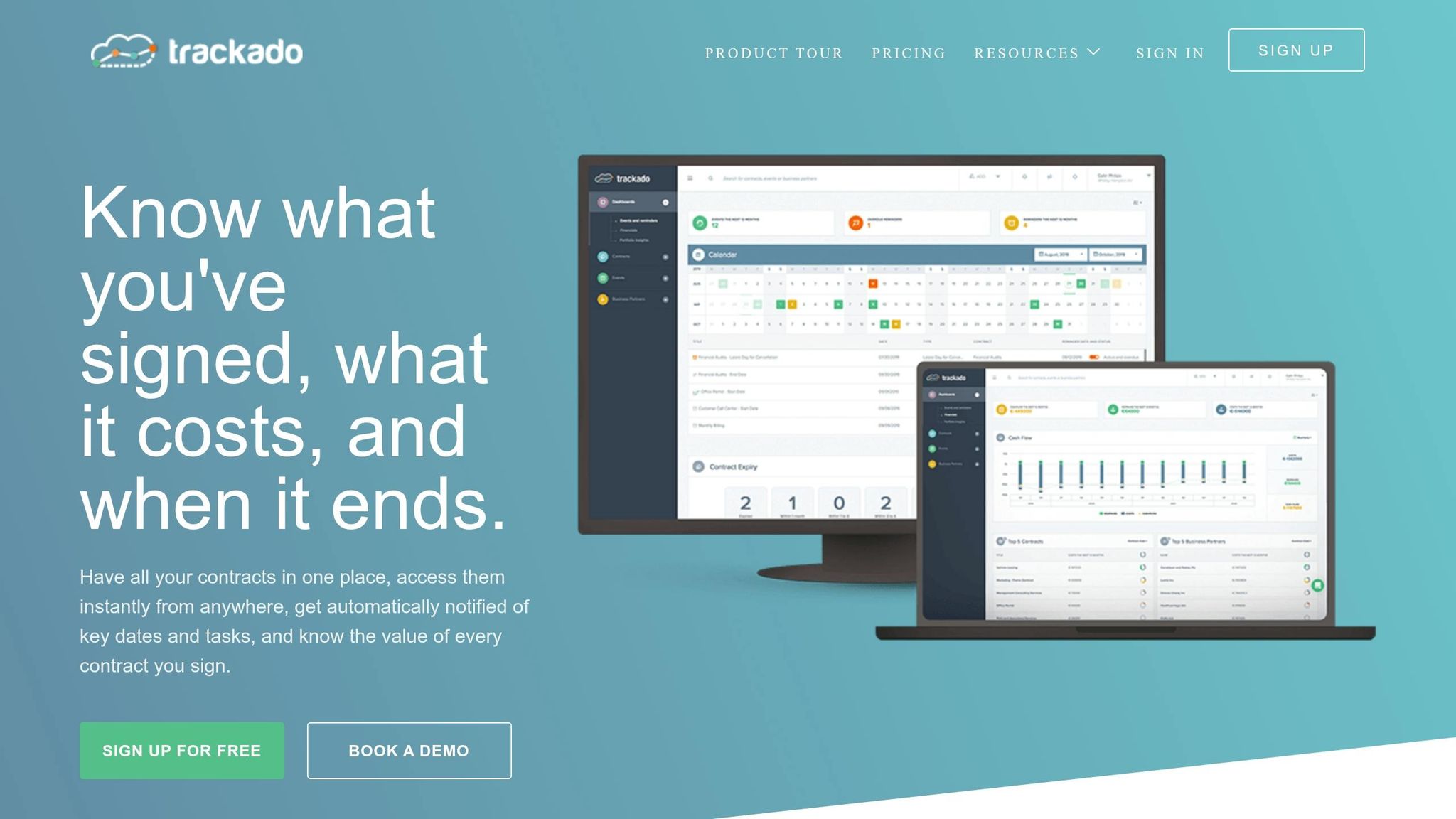
A centralized repository keeps the signed copy, audit trail, and metadata tied to the same record. Trackado gives SMBs a structured place to store contracts by partner, category, or department. Teams can also use custom metadata fields to track lifecycle dates, obligations, and ownership details.
And because e-signing is built directly into the platform, the signed copy and its related signing activity stay linked to the same contract record. They don’t end up split across different systems that someone has to piece together by hand later.
Centralized Repository vs. Scattered Files
The gap between one clean contract record and contracts scattered across inboxes and desktops isn’t just about staying organized. It creates legal and day-to-day risk.
| Centralized Repository | Scattered Files (Inboxes, Desktops, Shared Folders) | |
|---|---|---|
| Retrieval time | Minutes, using search and metadata filters | Hours or days; manual searching across email archives and folders |
| Completeness of evidence | Signed contract, audit trail, amendments, and metadata stored together | Signed versions, audit logs, or amendments often missing or separated |
| Audit readiness | Standardized records, clear versioning, consistent metadata | Inconsistent formats, missing documentation, unclear record ownership |
| Renewal visibility | Dashboards show upcoming renewals, notice periods, and obligations | Renewals discovered late or missed entirely |
| Risk of missing records | Low; governance processes route all executed contracts into one place | High; contracts lost when employees leave or change roles |
In teams without centralized storage, some contracts go missing altogether. That leads straight to compliance risk, termination fees, and revenue leakage. Retention rules, access controls, and steady workflows help keep that record dependable when you need it later.
Governance Steps to Keep Audit Trail Evidence Reliable Over Time
Once the evidence is centralized, governance is what keeps it usable years later.
Retention, Access Controls, and Consistent Signing Workflows
An audit trail captured on signing day only helps if it’s still intact and easy to pull years from now. If a contract ends up in a dispute, these controls are what help the record stand up later.
Start with retention. Keep the signed contract and audit trail for the full contract term, plus the legally required retention period. Tag each contract in your repository with a retention category and a calculated end date. Then use automated reminders to flag records for legal or finance review before anything gets deleted.
Access controls matter just as much as storage. Role-based access control (RBAC) lets the right people view audit trail data without opening signer identity records or dispute files to the whole company. Require MFA for any account that can change templates, adjust retention settings, or export evidence. Review permissions every quarter, and remove access when someone changes roles or leaves. That helps shut down the quiet gaps that build up over time.
Standardize signing templates so every contract collects the same minimum evidence set. Limit who can create or change signing templates, and require legal sign-off before any minimum evidence settings are changed. That keeps timestamps, IP address, signer identity, consent steps, and document version consistent across every transaction.
Preserving Evidence Packages for Renewals, Disputes, and Audits
For renewals, audits, and disputes, the file still needs to be complete and readable.
Store the signed PDF, completion certificate, full event log, and internal approvals together as one tamper-resistant evidence package. Treat amendments as new versions with new audit entries.
Schedule periodic retrieval tests. Pull a contract from five or more years ago and confirm that the full audit trail is readable and complete within 24 hours. It’s a simple way to catch storage or access issues before a live dispute puts the process under stress. If retrieval fails in a drill, it’ll fail when the stakes are higher too.
Conclusion: The Records Behind the Signature Are What Hold Up Later
These controls help keep the evidence package reliable over time.
| Governance Control | Primary Risk Reduced | How It Helps |
|---|---|---|
| Defined retention policy by contract category | Weak audit readiness | Records survive the full legal exposure window |
| Role-based access control (RBAC) | Unauthorized access or tampering | Limits who can view, export, or modify evidence |
| Multi-factor authentication (MFA) | Compromised accounts undermining evidence | Protects signing workflows and evidence exports |
| Standardized e-sign templates and workflows | Inconsistent or disputed evidence | Every contract captures the same minimum evidence set |
| Tamper-resistant evidence packages with versioning | Altered or incomplete records | Ties amendments to the original signed copy |
| Automated renewal and obligation reminders | Missed renewals | Surfaces key dates before notice periods expire |
| Periodic retrieval and integrity tests | Inaccessible or corrupted records | Confirms evidence stays readable over time |
FAQs
What makes an e-signature audit trail legally defensible?
An e-signature audit trail is legally defensible when it gives you a clear, tamper-resistant record of the document’s full lifecycle. It should log timestamps, user identities, and actions like access, edits, and signatures.
That step-by-step history helps prove who did what and when. It also helps show that the document stayed intact, which supports compliance and can help settle disputes. Centralized platforms like Trackado can automate this process and keep the record intact and easy to access.
Can a signed PDF alone prove a contract is valid?
Usually not. A signed PDF shows that an agreement exists. On its own, though, it may not prove intent, confirm identity, or show that the signing process stayed secure and unchanged.
An audit trail adds that missing context. It creates a timestamped record of who accessed the document, when they viewed it, and when they signed.
That record can matter a lot if questions come up later. In an audit or dispute, these logs help support validity and enforceability.
How long should audit trail records be kept?
Keep audit trail records long enough to meet your legal, regulatory, and industry rules.
They also need to stay protected and easy to access for internal reviews, compliance checks, or disputes. The goal is pretty simple: don’t keep extra data you don’t need, but make sure the records that matter are preserved with clear timestamps.
A central platform like Trackado can store these records automatically and make audit exports much easier.